
WGN-TV
Nexstar Inc.News & Magazines
3.3816.00 Reviews
- Version
- 510.0.1
- Installs
- 100.00K
- Age Rating
- Teen
Screenshots
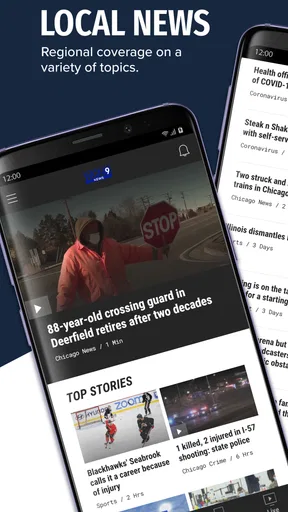
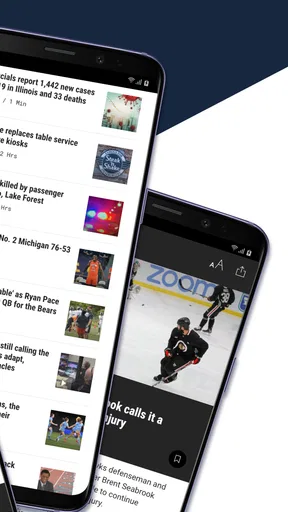
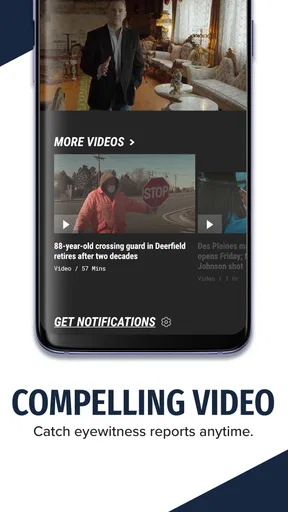
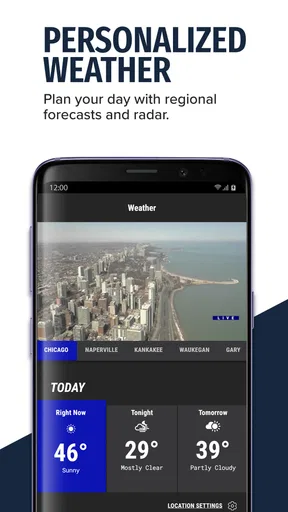
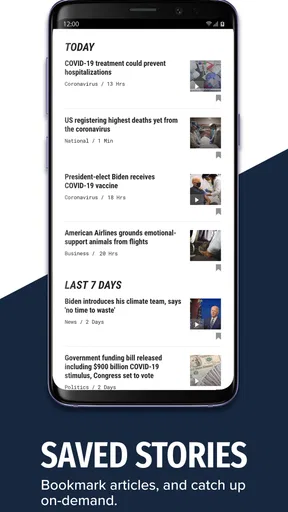
Our Review of WGN-TV
 Analysis by Appyee
I spent time with WGN-TV as a local news app, and my overall impression is that it works best as a quick Chicago news companion rather than a complete replacement for every news source on a phone. Its focus is clear: live coverage, urgent alerts, and reporting connected to Chicago’s Very Own WGN-TV. That narrow focus is also its main advantage, because the app feels more useful when I want local awareness than when I am looking for a broad national news reader.
The app is developed by Nexstar Inc. and sits in the News & Magazines category. It is free to install, which makes trying it a low-risk decision. I found the experience most practical when I treated it as a way to check what is happening now, then used other sources when I wanted a wider range of perspectives or deeper background.
How WGN-TV fits into a daily news routine
The first thing to understand is that this is not simply a digital newspaper. Its identity is tied to WGN-TV, so the strongest reason to use it is the connection between mobile updates and local television news. The app brings together livestreaming, breaking news notifications, and stories aimed at people who care about Chicago and its surrounding area.
That makes it particularly convenient during a developing event. If I hear about severe weather, a major traffic problem, a public safety incident, or an important local announcement, opening a Chicago-focused app is faster than sorting through a general national feed. The local emphasis can reduce the amount of irrelevant material I have to scan.
At the same time, I would not install it expecting a universal news dashboard. A national news app will usually offer more international coverage, business reporting, politics from outside Illinois, and broader topic discovery. WGN-TV makes more sense as a focused layer in a news routine, especially for Chicago residents, commuters, former residents who still follow the area, and people with family or work connections there.
What the free access means in practice
WGN-TV is free, so the basic decision is not whether the app is worth a subscription. The more useful question is whether its local coverage and alerts deserve space on your phone. I see the free access as an invitation to test it against your actual habits: install it, observe whether the local stories are relevant to you, and decide whether the notifications improve your awareness or become noise.
Because there is no purchase decision to weigh here, I would not describe the app as a paid replacement for a newspaper or a premium news service. Its value comes from access to the WGN-TV news experience without an upfront charge. That is helpful for casual readers, but it also means the app should be judged by usefulness and convenience rather than by a promise of exclusive paid features.
The age classification is Teen, so families should keep that designation in mind when deciding whether the app is suitable for a younger user. News can involve serious or upsetting subjects, and a local breaking-news feed may surface difficult events without much warning. I would be comfortable recommending it to a teenager who already understands how to handle news responsibly, but I would still encourage parents to discuss notifications and sensitive coverage.
Where the app delivers the most value
The livestreaming element is one of the clearest reasons to choose this app over a basic article reader. When a story is changing quickly, watching coverage can provide context that a short headline cannot. I found that especially useful when I wanted to understand the sequence of an event rather than read isolated updates.
There is also a practical difference between opening a local news app and searching the web every time something happens. With WGN-TV, the local focus is already established. I do not have to refine every search with Chicago-related terms or sift through results from unrelated regions. That reduction in friction is modest, but it matters when I am checking news quickly between errands or during a commute.
Breaking alerts can be valuable when they are selective. My advice is to treat notifications as an editing task rather than leaving every alert enabled automatically. Keep the alerts that help you make decisions, such as weather or major disruptions, and silence anything that interrupts you without adding useful information. This is one of the most important ways to make a free local news app feel helpful instead of intrusive.
A realistic everyday example would be a weekday morning when I am getting ready for work in Chicago. I can glance at the app to see whether a developing local story deserves attention, watch the available live coverage if the event is significant, and then return to my routine. Later, I might use a broader news source for national headlines. In that workflow, WGN-TV does not need to do everything; it only needs to do the local part quickly and clearly.
Useful ways to use it without letting it take over
I recommend separating “awareness” from “research.” Use the app for the first step: noticing a local story, seeing whether it is developing, and deciding whether it affects your day. For the second step, compare the report with other reputable sources when the subject is important, controversial, or likely to change. This is not a criticism of WGN-TV specifically; it is a sensible habit for any single-outlet news app.
The live coverage can also be used selectively. Streaming video is more demanding than reading a headline, so I would not keep it running continuously just for background noise. Open it when visual context matters, such as during a press briefing or a major local event, and rely on written updates when you only need a quick check.
Another useful habit is to make the app part of a fixed check-in routine instead of reacting to every alert. A morning glance and an evening review may be enough for someone who wants local awareness without constant interruptions. People who work in Chicago, travel through the area, or monitor local conditions may prefer more immediate alerts, but the right balance depends on how much urgency they genuinely need.
Tradeoffs I noticed while judging it
The biggest tradeoff is focus versus breadth. A Chicago-centered experience is efficient when local news is your priority, but it can feel limited if you expect a single app to cover the world. I would pair it with a broader news reader if you want international reporting, specialized subjects, or a more varied editorial mix.
The second tradeoff is immediacy versus depth. Live coverage and breaking alerts are useful for the first version of a story, but the earliest report is not always the fullest explanation. If I needed a detailed timeline, extensive context, or multiple viewpoints, I would continue researching beyond the app rather than assuming the first update was the final word.
Notifications create another compromise. They are one of the app’s most practical functions, yet they can also be the feature most likely to annoy you. A user who wants quiet phone usage may prefer to disable alerts and open the app manually. Someone who depends on rapid local updates may consider that loss of immediacy unacceptable. The right choice is personal, but it is worth adjusting notification behavior soon after installation.
The app’s audience rating also reflects a broader consideration: local news is not always light or comfortable. The value of timely reporting comes with exposure to serious events. If you are looking for entertainment, a relaxing reading experience, or carefully filtered positive stories, this is probably not the right app for that purpose.
Performance expectations and device fit
The current version is 510.0.1, and the app supports devices running Android 7.0 or later. That gives it a fairly broad compatibility range for Android users, including people who are not using the newest phone. I still recommend keeping the operating system and the app updated when possible, particularly for a news product where alerts and live content are central to the experience.
For livestreaming, your connection matters more than it does for reading a short article. If you are on an unreliable network, written updates may be the more practical choice. I would also avoid treating video as the only way to follow an event; the app’s usefulness is greater when you can switch between quick reading, alerts, and live viewing according to the situation.
One subtle advantage of a focused local app is that it can simplify the decision about where to look first. One subtle weakness is that it may encourage a narrow information bubble if it becomes your only source. I see the best approach as using WGN-TV for Chicago-specific awareness while deliberately maintaining another source for national and international context.
Who should install it
I think WGN-TV is a strong fit for Chicago-area residents who want local updates close at hand. It is also useful for commuters who need to know about developing conditions, people with relatives in the area, and former Chicago residents who want a convenient connection to local reporting. For these users, the free price makes experimentation easy, and the combination of alerts with live coverage gives the app a clear role.
It may also suit someone who already watches WGN-TV and wants a mobile extension of that habit. The app is more appealing when you value continuity with that local news source than when you are simply searching for the largest possible news library.
I would be more cautious recommending it to readers outside the Chicago area who do not have a personal reason to follow local Illinois news. They may open it occasionally for a major story, but a regional app from their own area would probably offer more daily value. I would also steer away users who want one neutral-feeling, all-purpose news feed, because this app’s local identity is central to its purpose.
People who dislike notifications should not reject it immediately. Disable alerts and use it as an on-demand local reader first. If the content still does not fit your interests, then the app is probably not earning its place. Conversely, users who need fast local awareness should test the alert settings carefully rather than judging the app with every notification option enabled by default.
My final recommendation
After using it as a Chicago news tool, I see WGN-TV as a useful free companion for local awareness, not a complete substitute for every other news service. Its strongest qualities are the regional focus, the ability to follow breaking developments, and the option to watch live coverage when a headline needs more context. Those features give it a practical purpose beyond simply displaying a list of articles.
Its limitations are equally clear. The local emphasis will not satisfy readers seeking broad coverage, live video is best used when the situation justifies it, and alerts require personal adjustment. I would also keep a habit of checking important stories through more than one source, especially when the first report is still developing.
The app has an average rating of 3.3 from around 2.3 thousand ratings, with over 100 thousand installs, which suggests a meaningful but not universal audience. I would treat those figures as a reason to try it rather than as a final verdict. My own recommendation is straightforward: install it if Chicago news matters to your daily life, keep the alerts that genuinely help, and use it alongside a broader source when you need national or international perspective. If you have no connection to Chicago or want a single all-purpose news app, skip it and choose a service built around wider coverage.
My verdict: WGN-TV is worth trying for focused Chicago coverage, especially because access is free, but its value depends almost entirely on whether local WGN-TV reporting matches your everyday needs.
Verdict
Strengths of WGN-TV
- Live local news, weather, and traffic updates in one app
- Useful radar maps help track storms around your area
- Breaking-news alerts keep you informed throughout the day
- Video reports are easy to watch on demand
- Covers Chicago-area stories with a strong local focus
Limitations of WGN-TV
- Frequent notifications may feel excessive without careful customization
- Some video content may include noticeable advertising breaks
- Streaming quality can depend heavily on your internet connection
- Certain features may require location access to work properly
- Coverage is mainly regional and less useful outside the Chicago area
Other Releases by Nexstar Inc.
View All
WIVB News 4
News & Magazines3.7

KTLA 5 News Los Angeles
News & Magazines3.1

NewsNation
News & Magazines3.3

Arkansas Storm Team
Weather4.4
Similar Picks in This Category
View All
Google News - Daily Headlines
Google LLC4.0

X
X Corp.4.8

Flipboard:Your Social Magazine
Flipboard3.4

Opera News: breaking & local
Opera4.5

Hindi News by Dainik Bhaskar
Dainik Bhaskar Group4.0

Way2News Daily News App
Way2News ( Formerly Way2SMS )4.6
Frequently Asked Questions
What is WGN-TV, and what can I do with the app?
WGN-TV is the official mobile app for Chicago’s WGN News, designed to keep users informed with local and national headlines, live news coverage, weather forecasts, traffic updates, video reports, and other station content. After installing it, you can browse the latest stories, watch available clips, and follow developing events from your phone or tablet. Content and features may vary by location and app version.
Does the WGN-TV app provide live streaming?
The WGN-TV app may offer live news streaming or live coverage during selected broadcasts, breaking-news events, and special reports. Availability can depend on programming rights, your geographic location, the time of day, and whether the station is currently streaming. Some live features may also require an internet connection or television-provider verification. Check the app’s live section to see what is currently available.
Can I use WGN-TV for weather and traffic information?
Yes. Weather and traffic are among the app’s most useful features for local users. You can typically view current conditions, hourly and extended forecasts, radar imagery, severe-weather information, and traffic-related reports. The app may also support location services or alerts for significant weather events. Forecast accuracy and available traffic coverage can vary depending on your selected location and regional data sources.
Does WGN-TV send breaking-news or weather alerts?
WGN-TV can send push notifications about breaking news, severe weather, major traffic disruptions, and other important local developments. Notifications are usually optional, so you can enable or disable them through the app or your device’s settings. If you allow location access, alerts may be more relevant to your area. Keep in mind that frequent notifications can affect attention and battery usage.
Is the WGN-TV app free, and what should I know before downloading it?
The WGN-TV app is generally free to download and use, although it requires an internet connection and may include advertising. Mobile-data charges can apply when watching video or live streams over cellular networks, so Wi-Fi is recommended for extended viewing. Before downloading, review the requested permissions, privacy policy, supported device requirements, and any feature restrictions that may apply in your region.
